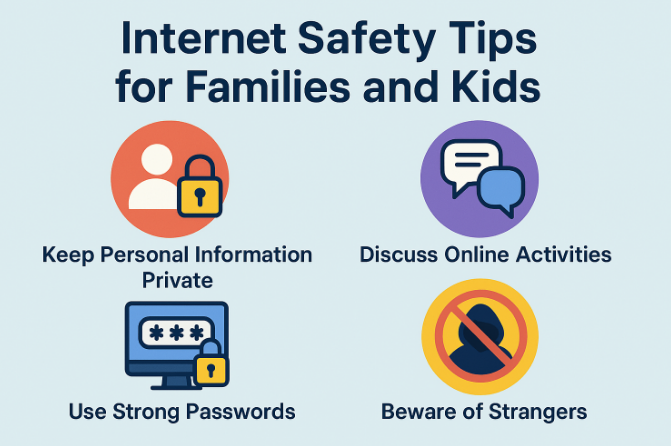
Learn essential internet safety tips for families to protect children, secure personal data, avoid scams, and enjoy a safer online experience.
Why Internet Safety Matters
Families use the internet for various activities, including online education, shopping, banking, social networking, and streaming entertainment. Without proper precautions, personal information and devices can become vulnerable to cyber threats.
Internet safety helps protect:
- Personal information
- Financial accounts
- Children’s online experiences
- Family privacy
- Digital devices
- Online identities
Building safe online habits benefits every member of the household.
Create Strong and Unique Passwords
Passwords are the first line of defense against unauthorized access.
A secure password should:
- Contain at least 12 characters
- Include uppercase and lowercase letters
- Use numbers and symbols
- Avoid personal information
- Be unique for every account
Using a password manager can help families store and organize passwords securely.
Enable Two-Factor Authentication
Two-factor authentication (2FA) adds an extra layer of security by requiring a second verification step after entering a password.
Benefits include:
- Better account protection
- Reduced risk of hacking
- Improved login security
- Protection even if passwords are compromised
Enable 2FA whenever it is available, especially for email, banking, and social media accounts.
Teach Children About Online Privacy
Children often share information online without understanding the risks.
Parents should explain the importance of never sharing:
- Home addresses
- Phone numbers
- School names
- Passwords
- Financial information
- Personal photos with strangers
Teaching digital privacy early helps children make safer online decisions.
Monitor Children’s Internet Activity
Parents should stay involved in their children’s online lives without creating unnecessary fear.
Helpful practices include:
- Discussing online experiences regularly
- Knowing which websites children visit
- Reviewing app permissions
- Checking privacy settings
- Setting age-appropriate limits
Open communication encourages children to report suspicious situations.
Use Parental Controls
Many devices and streaming platforms include parental control features that help families manage online content.
Parental controls can:
- Block inappropriate websites
- Limit screen time
- Restrict app downloads
- Filter search results
- Monitor online activity
These tools support safer browsing while allowing children to explore educational content.
Keep Software Updated
Software updates often include important security patches that protect devices from newly discovered vulnerabilities.
Regularly update:
- Operating systems
- Web browsers
- Mobile apps
- Antivirus software
- Smart home devices
Automatic updates are recommended whenever possible.
Recognize Phishing Scams
Cybercriminals often send fake emails, text messages, or websites designed to steal personal information.
Common warning signs include:
- Unexpected requests for passwords
- Poor grammar or spelling
- Suspicious links
- Urgent messages demanding immediate action
- Unknown attachments
Always verify the sender before clicking links or downloading files.
Browse Only Secure Websites
Before entering sensitive information online, check whether the website uses a secure connection.
Look for:
- HTTPS in the website address
- A padlock icon in the browser
- Trusted company information
- Clear privacy policies
Avoid providing personal details on unsecured websites.
Be Careful on Social Media
Social media platforms can expose users to privacy risks if personal information is shared publicly.
Families should:
- Adjust privacy settings
- Accept friend requests only from people they know
- Avoid oversharing personal details
- Think before posting photos
- Report suspicious accounts
Responsible social media use helps protect personal privacy.
Protect Home Wi-Fi Networks
A secure home network helps prevent unauthorized access to connected devices.
Best practices include:
- Changing the default router password
- Using WPA2 or WPA3 encryption
- Updating router firmware
- Disabling remote management if unnecessary
- Creating a guest network for visitors
A strong Wi-Fi setup enhances overall cybersecurity.
Download Apps Carefully
Not every app available online is trustworthy.
Before installing apps:
- Download only from official app stores
- Read user reviews
- Check requested permissions
- Verify the developer
- Keep apps updated
Avoid downloading software from unknown websites.
Teach Children About Cyberbullying
Cyberbullying can affect children’s emotional well-being.
Parents should encourage children to:
- Report bullying immediately
- Avoid responding to abusive messages
- Block offending users
- Save evidence if necessary
- Speak openly about their experiences
Supportive communication helps children feel safe discussing online challenges.
Back Up Important Data
Unexpected cyberattacks or hardware failures can result in data loss.
Families should regularly back up:
- Photos
- Videos
- Documents
- School assignments
- Financial records
Cloud storage and external hard drives provide reliable backup options.
Set Healthy Screen Time Limits
Internet safety also includes maintaining a healthy balance between online and offline activities.
Encourage family members to:
- Take regular screen breaks
- Spend time outdoors
- Read books
- Exercise regularly
- Enjoy offline family activities
Balanced technology use supports both physical and mental well-being.
Stay Informed About New Online Threats
Cyber threats continue to evolve, making ongoing education essential.
Families should:
- Learn about emerging scams
- Follow cybersecurity news
- Discuss online safety regularly
- Update security practices when needed
- Encourage lifelong digital learning
Staying informed helps everyone recognize new risks before they become serious problems.
Internet Safety Checklist for Families
Follow this simple checklist to improve online safety:
- Use strong and unique passwords.
- Enable two-factor authentication.
- Keep devices updated.
- Install trusted antivirus software.
- Secure your home Wi-Fi network.
- Teach children about online privacy.
- Monitor online activity responsibly.
- Use parental controls.
- Avoid suspicious emails and links.
- Back up important data regularly.
Conclusion
Internet safety is a shared responsibility that involves every member of the family. By adopting secure online habits, protecting personal information, and maintaining open communication, families can confidently enjoy the many benefits of the internet while minimizing potential risks.
As technology continues to evolve, staying informed and practicing good cybersecurity habits will help create a safer digital environment for everyone.
