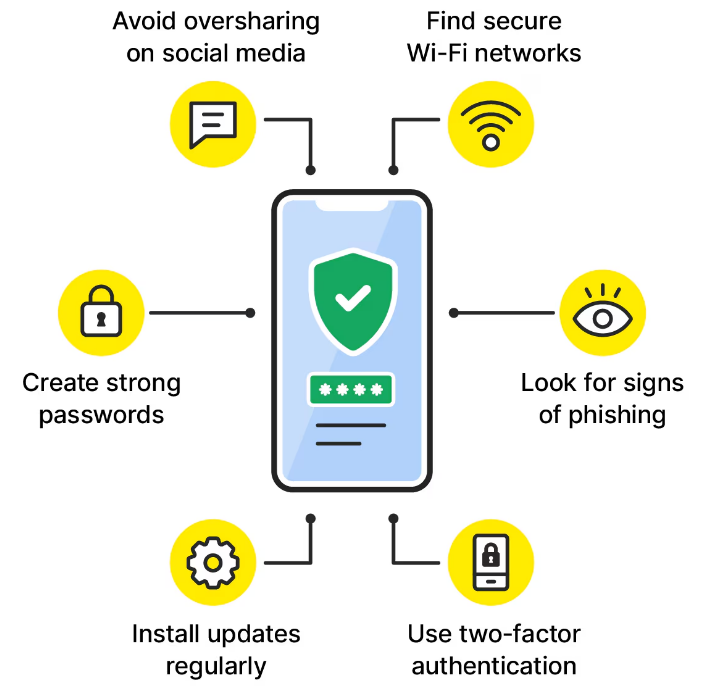
Protect your personal data with practical cybersecurity tips. Learn how to create strong passwords, avoid scams, and stay safe online every day.
Why Personal Data Protection Matters
Personal data includes information that identifies you, such as your:
- Full name
- Home address
- Phone number
- Email address
- Passwords
- Bank account details
- Credit card information
- Government identification numbers
If this information falls into the wrong hands, criminals may use it to access your accounts, make unauthorized purchases, or even commit identity fraud.
Protecting your personal data is essential for maintaining your privacy, financial security, and peace of mind.
Use Strong and Unique Passwords
One of the simplest ways to improve your cybersecurity is by creating strong passwords.
A secure password should:
- Be at least 12–16 characters long
- Include uppercase and lowercase letters
- Contain numbers
- Include special symbols
- Avoid common words or personal information
Never reuse the same password across multiple accounts. If one account is compromised, attackers may attempt to use the same password elsewhere.
A password manager can help generate and securely store unique passwords for all your online accounts.
Enable Two-Factor Authentication
Two-factor authentication (2FA) adds another layer of protection beyond your password.
With 2FA enabled, you’ll need a second verification step, such as:
- A code sent to your phone
- An authentication app
- A security key
- Biometric verification
Even if someone discovers your password, they will still need the second authentication method to access your account.
Whenever possible, enable 2FA on:
- Email accounts
- Banking services
- Social media platforms
- Cloud storage
- Shopping websites
Keep Software Updated
Software updates often include important security patches that fix newly discovered vulnerabilities.
Make sure to regularly update:
- Operating systems
- Web browsers
- Mobile apps
- Antivirus software
- Smart devices
Whenever possible, enable automatic updates to ensure you receive security improvements as soon as they become available.
Be Careful with Email Scams
Phishing attacks remain one of the most common cybersecurity threats.
A phishing email may:
- Pretend to come from your bank
- Ask you to verify your account
- Include fake invoices
- Offer prizes or discounts
- Request urgent action
Before clicking any link:
- Check the sender’s email address.
- Look for spelling or grammar mistakes.
- Avoid downloading unexpected attachments.
- Visit the official website directly instead of using links in suspicious emails.
If something feels unusual, it’s better to verify the request through official customer support.
Secure Your Home Wi-Fi Network
Your home network connects many devices that store personal information.
Improve Wi-Fi security by:
- Changing the default router password
- Using WPA3 or WPA2 encryption
- Creating a strong Wi-Fi password
- Disabling unnecessary remote management
- Updating router firmware regularly
Avoid sharing your Wi-Fi password with people you don’t trust.
Avoid Public Wi-Fi for Sensitive Activities
Free public Wi-Fi can be convenient but often lacks strong security.
Avoid performing sensitive activities such as:
- Online banking
- Shopping with credit cards
- Accessing business accounts
- Logging into financial services
If you must use public Wi-Fi, consider using a trusted Virtual Private Network (VPN) to encrypt your internet connection.
Download Apps from Trusted Sources
Installing software from unofficial websites increases the risk of malware infections.
Only download applications from:
- Official app stores
- Verified developer websites
- Trusted software providers
Before installing an app:
- Read reviews
- Check permissions
- Verify the publisher
- Keep the app updated
Delete applications you no longer use to reduce potential security risks.
Back Up Important Files
Cyberattacks such as ransomware can lock you out of your files.
Regular backups help you recover your data if something goes wrong.
Follow the 3-2-1 backup strategy:
- Keep three copies of your data.
- Store two copies on different storage devices.
- Keep one backup in a separate location, such as secure cloud storage.
Regular backups reduce the impact of hardware failures, accidental deletion, and malware attacks.
Monitor Your Online Accounts
Regularly reviewing your accounts helps you detect suspicious activity early.
Check for:
- Unknown login attempts
- Unrecognized purchases
- Password reset notifications
- New devices connected to your account
If you notice unusual activity:
- Change your password immediately.
- Enable two-factor authentication if it’s not already active.
- Contact the service provider.
- Monitor your financial statements for unauthorized transactions.
Limit the Personal Information You Share
Many cybercriminals gather information from social media profiles.
Avoid publicly sharing:
- Your full birth date
- Home address
- Daily routines
- Vacation plans
- Financial details
- Identification documents
Review your privacy settings regularly and limit who can view your personal information.
Use Reliable Security Software
A trusted security solution can help detect and block threats before they cause damage.
Good security software may include:
- Real-time malware protection
- Ransomware detection
- Safe browsing features
- Firewall protection
- Automatic security updates
Keep your security software enabled and updated at all times.
Watch for Identity Theft
Identity theft can happen without immediate warning.
Possible signs include:
- Unexpected credit card charges
- Accounts you didn’t open
- Collection notices for unfamiliar debts
- Missing bills
- Unauthorized password reset emails
The sooner you recognize these warning signs, the faster you can minimize potential damage.
Educate Family Members
Cybersecurity is a shared responsibility.
Teach children and older family members how to:
- Recognize phishing attempts
- Create strong passwords
- Avoid suspicious downloads
- Protect personal information
- Report unusual online activity
Good digital habits help keep the entire household safer.
Common Cybersecurity Mistakes
Avoid these common errors:
- Reusing passwords
- Ignoring software updates
- Clicking unknown links
- Downloading pirated software
- Sharing passwords
- Using weak passwords
- Leaving devices unlocked
- Ignoring security alerts
Small improvements in daily habits can greatly strengthen your online security.
The Future of Personal Data Protection
As technology continues to evolve, cyber threats are becoming more sophisticated. Artificial intelligence, smart devices, and cloud services offer many benefits, but they also introduce new security challenges.
The good news is that security technologies are improving as well. Features like biometric authentication, advanced encryption, and AI-powered threat detection are making it easier for individuals to protect their personal information.
Staying informed and adopting safe online practices will remain essential in the years ahead.
Conclusion
Protecting your personal data doesn’t require advanced technical knowledge. Simple actions such as creating strong passwords, enabling two-factor authentication, updating your software, avoiding phishing scams, and backing up important files can greatly reduce your risk of becoming a victim of cybercrime.
Cybersecurity is an ongoing process rather than a one-time task. By developing smart digital habits and staying alert to potential threats, you can enjoy the convenience of modern technology while keeping your personal information safe
