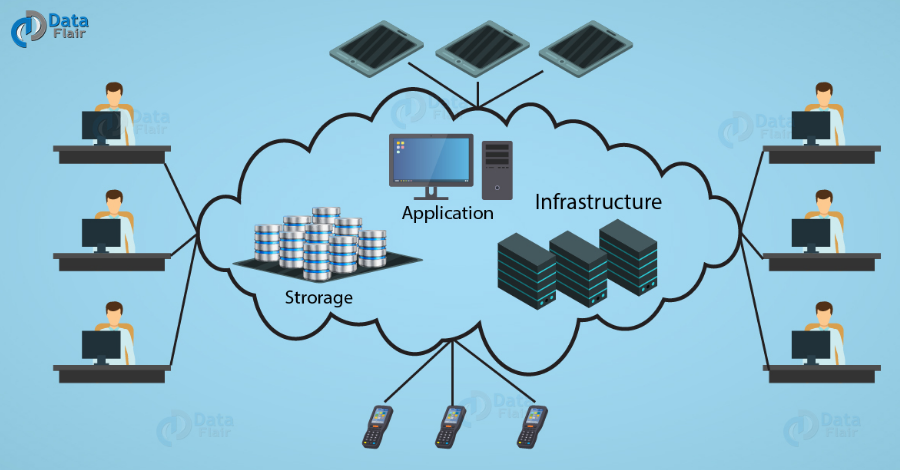
Learn the basics of cloud computing, how it works, its benefits, service models, and why it matters for beginners in today’s digital world.
What Is Cloud Computing?
Cloud computing is the delivery of computing services over the internet instead of relying solely on a local computer or physical server. These services include storage, databases, networking, software, and processing power.
Rather than purchasing expensive hardware and maintaining it yourself, you can access computing resources whenever you need them through an internet connection. This allows individuals and businesses to use powerful technology without large upfront investments.
For example, when you save files to an online storage platform or stream movies through an online service, you are already using cloud computing.
How Cloud Computing Works
Cloud computing relies on a network of powerful servers located in secure data centers around the world. These servers store information, process data, and run applications for users.
Here’s a simple process:
- A user opens an application or website.
- The request is sent through the internet.
- Cloud servers process the request.
- The results are returned to the user’s device within seconds.
Because the heavy computing work happens in remote data centers, users can access services from almost any internet-connected device.
Types of Cloud Computing
Cloud computing can be divided into several deployment models.
Public Cloud
Public cloud services are owned and operated by third-party providers. Resources are shared among many customers, making this option affordable and highly scalable.
Private Cloud
A private cloud is dedicated to one organization. It offers greater control, security, and customization but often costs more than public cloud solutions.
Hybrid Cloud
Hybrid cloud combines public and private cloud environments. Organizations can keep sensitive data in a private cloud while using public cloud resources for less critical workloads.
Main Cloud Service Models
Cloud providers offer services through different models depending on user needs.
Infrastructure as a Service (IaaS)
IaaS provides virtual servers, storage, and networking resources. Users manage operating systems and applications while the provider manages the hardware.
Platform as a Service (PaaS)
PaaS offers a complete development platform where developers can build, test, and deploy applications without managing the underlying infrastructure.
Software as a Service (SaaS)
SaaS delivers software through a web browser. Users simply sign in and use the application without installing or maintaining it.
Examples include email services, online office applications, and project management tools.
Benefits of Cloud Computing
Cloud computing offers many advantages for both individuals and businesses.
Cost Savings
Users only pay for the resources they need, reducing hardware purchases and maintenance expenses.
Scalability
Resources can be increased or decreased based on demand, making cloud services suitable for businesses of all sizes.
Accessibility
Files and applications can be accessed from almost anywhere with an internet connection.
Automatic Updates
Cloud providers regularly update software and security features, reducing maintenance work for users.
Data Backup
Many cloud services automatically back up data, helping protect important information from accidental loss.
Common Uses of Cloud Computing
Cloud computing supports countless daily activities.
Some common examples include:
- Online file storage
- Video streaming services
- Email platforms
- Online learning systems
- Mobile applications
- Business collaboration tools
- Website hosting
- Data analytics
- Artificial intelligence services
- Online gaming
Many popular digital services depend on cloud infrastructure to provide fast and reliable experiences.
Is Cloud Computing Secure?
Security is one of the most common concerns for beginners.
Leading cloud providers invest heavily in cybersecurity, encryption, network protection, and continuous monitoring. While cloud platforms are generally very secure, users should also follow good security practices.
Helpful tips include:
- Use strong passwords.
- Enable multi-factor authentication.
- Keep devices updated.
- Avoid sharing account credentials.
- Regularly review account activity.
Security is a shared responsibility between cloud providers and users.
Cloud Computing in Everyday Life
You may already use cloud computing without realizing it.
Examples include:
- Backing up smartphone photos online
- Watching movies through streaming services
- Editing documents in an online office suite
- Saving files in cloud storage
- Joining video meetings
- Playing cloud-based games
- Shopping through online marketplaces
These services make digital experiences more convenient and accessible.
Advantages for Businesses
Businesses of every size benefit from cloud technology.
Some key advantages include:
- Lower IT costs
- Faster deployment of applications
- Better collaboration among employees
- Flexible remote work support
- Improved disaster recovery
- Easier software updates
- Better business continuity
Small businesses can access enterprise-level technology without investing in expensive infrastructure.
Challenges of Cloud Computing
Although cloud computing offers many benefits, there are also some challenges.
Internet Dependency
Most cloud services require a reliable internet connection.
Ongoing Costs
Subscription fees can increase over time if resources are not managed efficiently.
Privacy Concerns
Organizations must ensure that sensitive information is stored and managed according to privacy regulations.
Vendor Lock-In
Switching between cloud providers can sometimes be difficult because of differences in platforms and technologies.
Understanding these challenges helps users make informed decisions.
Tips for Beginners
If you are new to cloud computing, consider these simple tips:
- Learn the basic cloud service models.
- Start with free cloud storage accounts.
- Practice using online productivity tools.
- Organize files with clear folder structures.
- Enable security features on every account.
- Back up important documents regularly.
- Explore cloud services gradually as your needs grow.
Learning step by step makes cloud computing much easier to understand.
The Future of Cloud Computing
Cloud computing continues to evolve rapidly. Emerging technologies such as artificial intelligence, machine learning, edge computing, and the Internet of Things are becoming more closely integrated with cloud platforms.
Businesses are increasingly moving their operations to the cloud to improve flexibility, reduce costs, and support digital transformation. As internet connectivity continues to improve worldwide, cloud computing will become even more important in everyday life.
Conclusion
Cloud computing has transformed the way people store information, access software, and manage digital services. Instead of relying on expensive local hardware, users can access powerful computing resources through the internet whenever they need them.
For beginners, understanding the basic concepts of cloud computing is the first step toward using modern technology more effectively. Whether you are storing personal files, running a business, or developing applications, cloud computing offers flexibility, convenience, and opportunities that continue to shape the future of the digital world.
