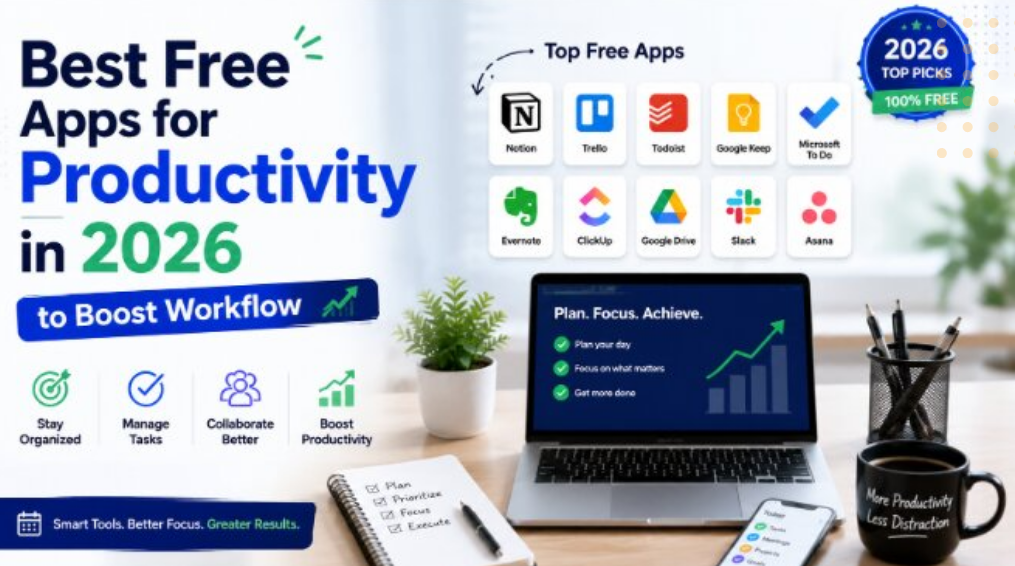
Discover the best free productivity apps in 2026 to organize tasks, manage time, boost efficiency, and stay productive at work, school, or home.
Why Productivity Apps Matter
Productivity apps are designed to simplify daily work by reducing distractions, organizing information, and improving time management. Instead of juggling multiple notebooks, calendars, and reminders, you can manage everything from a single device.
The benefits of using productivity apps include:
- Better organization
- Improved time management
- Easier collaboration
- Increased efficiency
- Reduced stress
- Greater focus on important tasks
Choosing the right combination of apps can significantly improve both personal and professional productivity.
1. Google Keep
Google Keep remains one of the easiest note-taking apps available. It allows users to create notes, checklists, voice memos, and reminders that automatically sync across devices.
Key Features
- Color-coded notes
- Voice recording
- Image notes
- Location-based reminders
- Cross-device synchronization
- Easy sharing with others
Google Keep is ideal for capturing ideas quickly without unnecessary complexity.
2. Microsoft To Do
Microsoft To Do helps users manage daily tasks with a clean and intuitive interface. It integrates well with other Microsoft services and supports both personal and work-related planning.
Key Features
- Daily task planning
- Due dates and reminders
- Recurring tasks
- Task sharing
- Cloud synchronization
- Priority lists
It’s an excellent option for users who want a simple yet effective task manager.
3. Trello
Trello continues to be one of the most popular project management tools. Its visual board system makes it easy to organize projects, assign tasks, and monitor progress.
Key Features
- Drag-and-drop boards
- Task cards
- Due dates
- Labels and checklists
- Team collaboration
- Mobile and desktop support
Trello works well for individuals, teams, and small businesses.
4. Notion
Notion has become a favorite productivity platform because it combines note-taking, project management, databases, calendars, and documentation in one workspace.
Key Features
- Rich text editor
- Templates
- Task management
- Knowledge base creation
- Collaboration tools
- Database organization
Its free plan offers generous features for personal productivity.
5. Google Calendar
Time management starts with an organized schedule. Google Calendar allows users to manage appointments, meetings, deadlines, and personal events from one place.
Key Features
- Multiple calendars
- Event reminders
- Shared calendars
- Recurring events
- Time zone support
- Device synchronization
Using a digital calendar helps reduce missed appointments and scheduling conflicts.
6. Canva
Although primarily known as a design platform, Canva is also a valuable productivity tool for creating presentations, documents, social media graphics, posters, and marketing materials.
Key Features
- Thousands of templates
- Drag-and-drop editor
- Free design assets
- Collaboration features
- Presentation tools
- Cloud storage
Its simple interface makes professional-looking designs accessible to everyone.
7. Grammarly
Grammarly helps improve writing quality by checking grammar, spelling, punctuation, and clarity in real time.
Key Features
- Grammar correction
- Spelling suggestions
- Tone detection
- Writing clarity improvements
- Browser extension
- Mobile keyboard support
Students, professionals, and content creators all benefit from using Grammarly.
8. Clockify
Tracking time helps improve productivity and identify areas where time is being lost. Clockify offers a free time-tracking solution suitable for freelancers and teams.
Key Features
- Time tracking
- Project reports
- Billable hours
- Timesheets
- Productivity insights
- Cross-platform support
It is especially useful for remote workers and consultants.
9. Zoom
Video meetings remain essential in modern workplaces. Zoom provides reliable online communication for meetings, webinars, interviews, and virtual collaboration.
Key Features
- Video conferencing
- Screen sharing
- Chat
- Meeting recording
- Virtual backgrounds
- Cross-platform compatibility
The free version is sufficient for many personal and professional needs.
10. Google Drive
Google Drive offers secure cloud storage while allowing users to store, organize, and share files from virtually anywhere.
Key Features
- Cloud storage
- File sharing
- Automatic backup
- Document collaboration
- Version history
- Access from multiple devices
Combined with Google Docs, Sheets, and Slides, it forms a complete productivity ecosystem.
How to Choose the Right Productivity Apps
Not every app is suitable for every user. Consider the following factors before choosing your tools.
Identify Your Needs
Determine whether you primarily need note-taking, task management, scheduling, document editing, or collaboration features.
Consider Device Compatibility
Choose apps that work across all your devices, including smartphones, tablets, and computers.
Check Storage Limits
Free plans often include storage limitations, so review available space before committing.
Prioritize Ease of Use
Simple, intuitive apps are easier to adopt and maintain over time.
Think About Integration
Applications that integrate with one another can create a smoother workflow.
Tips for Maximizing Productivity
Even the best apps cannot replace good habits. To get the most value from productivity tools:
- Plan your day every morning.
- Break large projects into smaller tasks.
- Set realistic deadlines.
- Use reminders for important events.
- Avoid unnecessary notifications.
- Review completed tasks regularly.
- Keep your workspace organized.
- Focus on one priority at a time.
Combining effective habits with the right apps leads to better long-term results.
Common Mistakes to Avoid
Many users install too many productivity apps, making their workflow more complicated instead of simpler.
Avoid these common mistakes:
- Using multiple apps for the same purpose
- Ignoring reminders
- Failing to organize files
- Not backing up important data
- Overcomplicating workflows
- Constantly switching between platforms
Choosing a few reliable tools often works better than trying every new application.
The Future of Productivity Apps
Productivity software continues to evolve with advances in artificial intelligence and automation. Future apps are expected to offer smarter scheduling, automated task management, personalized recommendations, and improved collaboration features.
AI-powered assistants will likely handle repetitive tasks, summarize meetings, organize information, and suggest better ways to manage workloads. These innovations will make productivity tools even more efficient in the years ahead.
Conclusion
The best free productivity apps in 2026 make it easier to stay organized, manage time, collaborate with others, and complete tasks efficiently. Whether you need a note-taking app like Google Keep, a project management platform like Trello, or an all-in-one workspace like Notion, there are excellent free options available for every type of user.
By selecting the right combination of tools and developing consistent productivity habits, you can simplify your daily routine, reduce stress, and achieve your personal and professional goals more effectively.
